



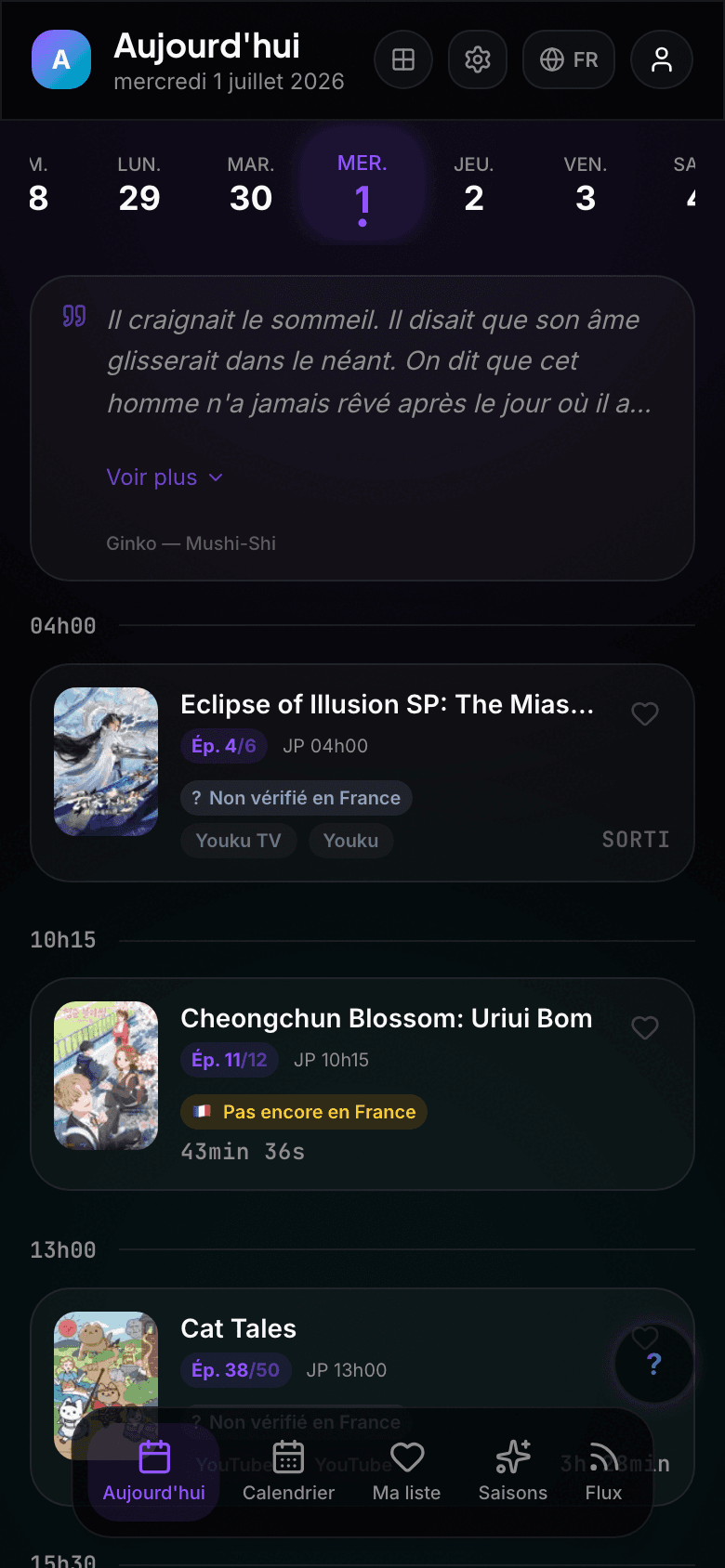
Today
Daily episodes sorted by time, with countdowns and airing state.
 AniCal
Public anime calendar
Follow the season, see exact broadcast times in your timezone and keep your anime schedule close. AniCal stays free, ad-free and usable without an account.
Free and ad-free · Works in your browser · Android app coming to the Play Store
A look inside
AniCal is not just a list of dates. Today's releases, the seasons, your list and your notifications sit in one place, in an interface designed for the phone.
Daily episodes sorted by time, with countdowns and airing state.
A weekly view to plan ahead without timezone math.
Seasonal anime sorted by popularity, score, availability or release date.
Live preview
A readable schedule for what airs today, tomorrow and throughout the week, with broadcast times converted automatically.
Ep. 4
Ep. 7
Ep. 1140
01
AniCal converts Japanese broadcasts and keeps a clear countdown on every episode.
02
Be told at release, or a few minutes before. Per show, never as one blanket alert.
03
One tap marks an episode watched. Away a few days? AniCal groups what you missed.
04
Start with no account. Sync arrives when it earns its place, reviewing conflicts instead of overwriting.
Region
Pick your country and AniCal reorders the season around it: what's streaming near you floats to the top, with the platform it's on. Nothing gets hidden — hiding is a switch you turn on, never the default.
Supported regions
11 regions today, more as the data holds up. When availability isn't confirmed, AniCal says so plainly instead of guessing.
Streaming data by JustWatch & TMDB.
Language
AniCal speaks 8 languages, app and site alike. Switch whenever you like — no account, and your list stays put.
Interface language and local availability are two separate settings — reading AniCal in French doesn't mean everything streams in France.
How it works
The journey stays intentionally short: no account needed to try it, no heavy setup, and sync only appears when it adds real value.
Browse new shows, awaited sequels and already popular titles.
One tap adds them to Today, Calendar and your list.
Get notified when an episode airs, with the correct local time.
Simple by default
AniCal stays mostly public and local-first. Accounts are mainly for AniList or MyAnimeList sync, not for locking the experience away.
Always nearby
Open AniCal from any browser, on phone or desktop. Today's releases and the seasonal charts are one link away, even when you only have a couple of minutes.
FAQ
Not yet. Today AniCal runs in your browser, on phone and desktop alike. An Android app is coming to the Play Store soon; iOS will follow.
No. You can browse seasons, follow anime and use your schedule without an account. Sign-in is mainly for AniList or MyAnimeList sync.
Yes. AniCal converts broadcast times to your timezone so you do not have to do the math manually.
AniCal uses AniList, Jikan and AnimeThemes, with app-side enrichment when available.
Install
Open AniCal, follow a few titles, and let the schedule do the rest.